ROS 2 is a free, open-source framework for building robot software. It provides the messaging layer, tools and libraries that let separate programs share sensor data and commands across one robot or a whole fleet. It replaced ROS 1, which reached end of life in May 2025, and it is now the default starting point for new robots in research, education and a growing slice of industry.
What is ROS 2, in plain terms?
Despite the name, ROS 2 is not an operating system. It runs on top of one, usually Ubuntu Linux, and supplies the plumbing that robot software needs. The name is a holdover from 2007, and nobody is going to change it now.
A useful way to think about ROS 2 is as four things bundled together:
- A communication layer. Programs called nodes exchange typed messages over named channels. A lidar driver publishes scans, and a mapping node subscribes to them. Neither needs to know the other exists.
- A set of developer tools. Command-line tools, a build system, a data recorder, and visualizers like RViz2 and rqt.
- A library ecosystem. Thousands of packages for navigation, arm motion planning, hardware control, perception and simulation.
- A community and release process. Versioned distributions on a predictable schedule, with long-term support releases you can build a product on.
The value is reuse. Before ROS, every lab and company wrote its own drivers, coordinate transform code and logging tools. With ROS 2 you install a maintained driver for your camera, a maintained navigation stack, and spend your time on the part of the robot that is actually yours.
When people search “what is ros2,” this is the core answer: shared infrastructure, so you stop rewriting the same robot software that thousands of engineers have already written.
Where ROS 2 came from
The ROS 1 era
ROS started at Stanford and was developed heavily at Willow Garage, a Bay Area robotics lab, from 2007. The first numbered distribution, Box Turtle, shipped in 2010. Willow Garage’s PR2 robot was the flagship platform, and ROS spread quickly through universities because it was free and solved real problems.
The Open Source Robotics Foundation took over stewardship in 2012. In late 2022, Intrinsic (an Alphabet company) acquired the foundation’s commercial arm, while the nonprofit foundation kept running the open-source projects. In 2024 the foundation launched the Open Source Robotics Alliance to give companies and contributors a formal governance role over ROS, Gazebo and Open-RMF.
Why ROS 1 had to be replaced
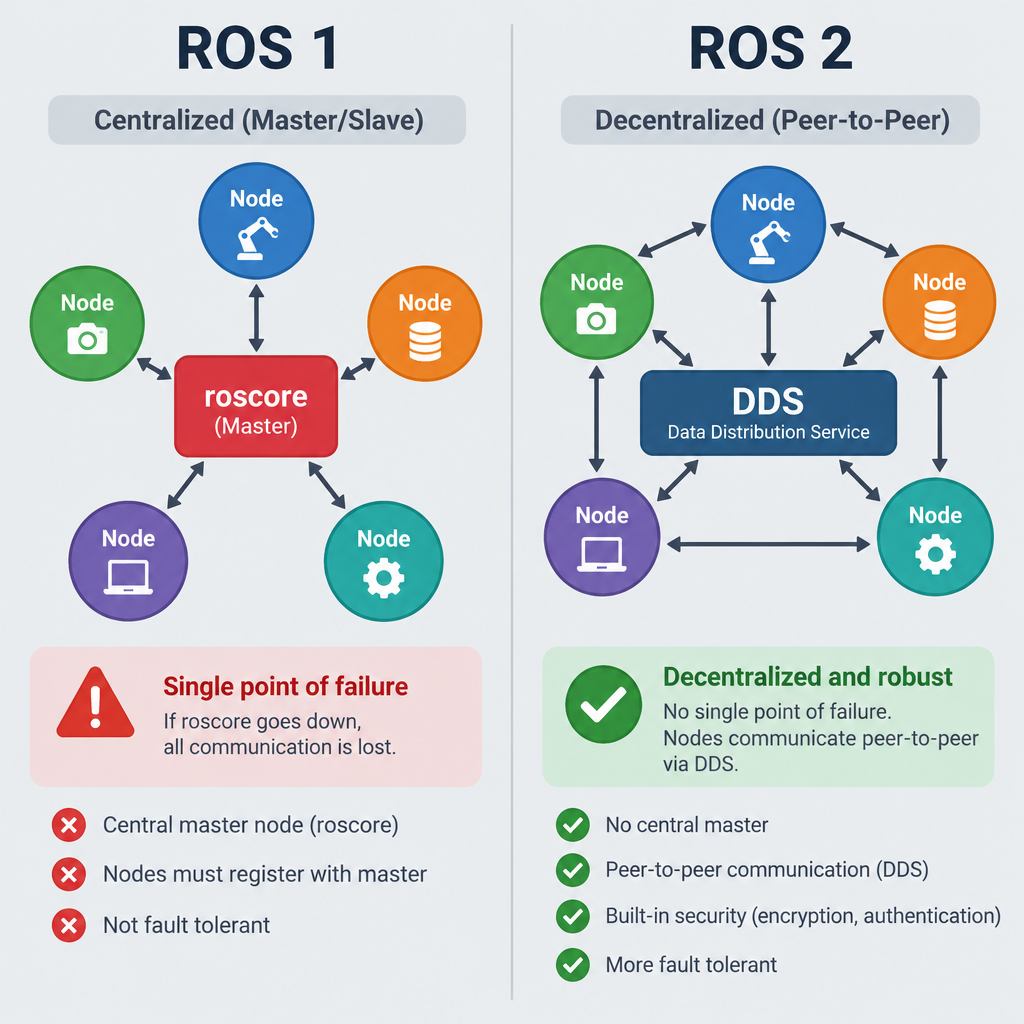
ROS 1 was designed for one research robot, on one reliable network, run by people who could restart things when they broke. That served academia well and caused trouble everywhere else. The main problems were architectural:
- A single master process. Every ROS 1 system depended on
roscore. If it died, nodes could no longer find each other. That is a single point of failure on a machine that may be driving around a warehouse. - Custom transport protocols. TCPROS and UDPROS worked fine on wired lab networks but gave you little control over behavior on lossy Wi-Fi.
- No security. Any machine on the network could publish commands to your robot.
- No real-time story. The design made deterministic timing very hard.
- Weak support for multiple robots, embedded hardware and non-Linux platforms.
Fixing these would have broken every ROS 1 package anyway, so the core team chose a clean redesign. Work began in the mid-2010s, and the first ROS 2 distribution, Ardent Apalone, shipped in December 2017. The final ROS 1 release, Noetic Ninjemys, came out in 2020 and reached end of life on May 31, 2025.
Engineer's note
ROS 1 code still runs, but Noetic no longer gets security fixes or new binary packages, and it targets Ubuntu 20.04, which has itself left standard support. Any ROS 1 robot still in the field is accumulating risk every month.
How ROS 2 works
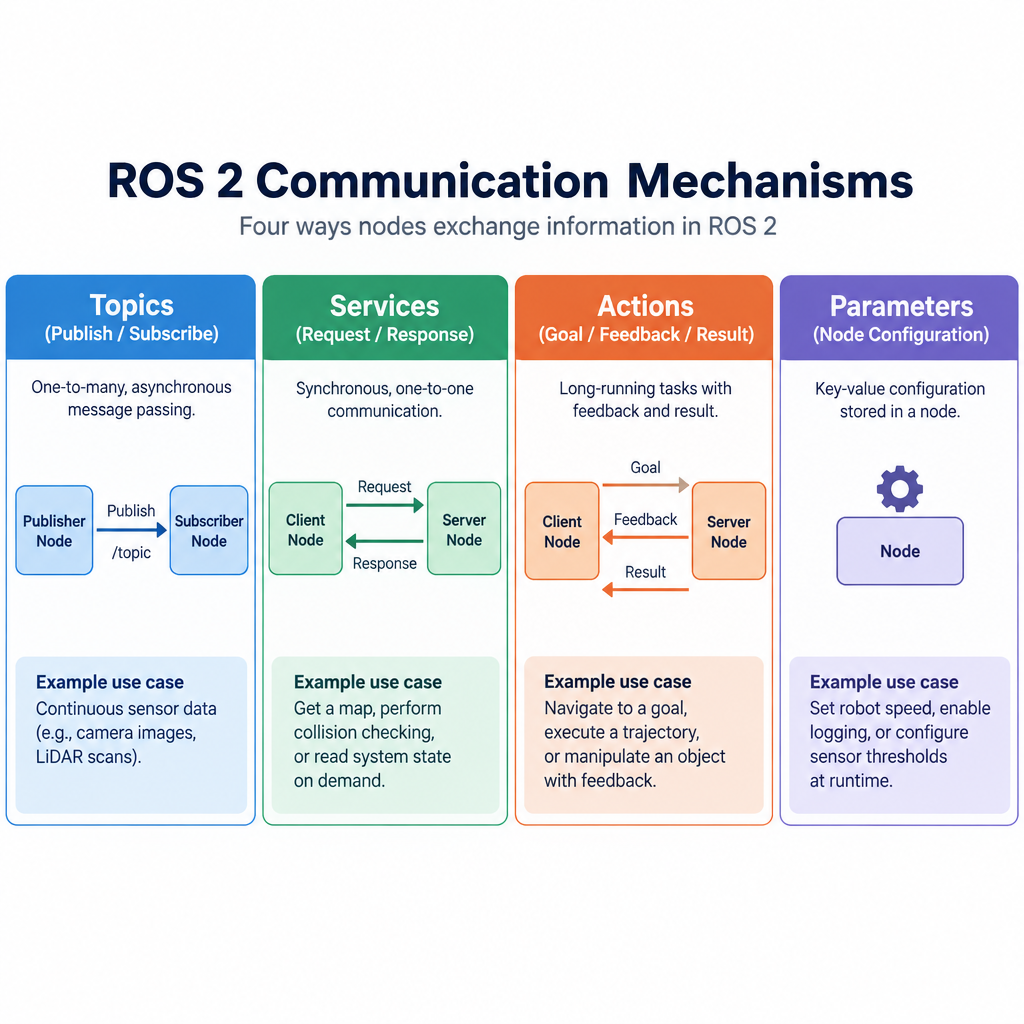
If you have used ROS 1, the concepts will feel familiar. What changed is what sits underneath them.
Nodes
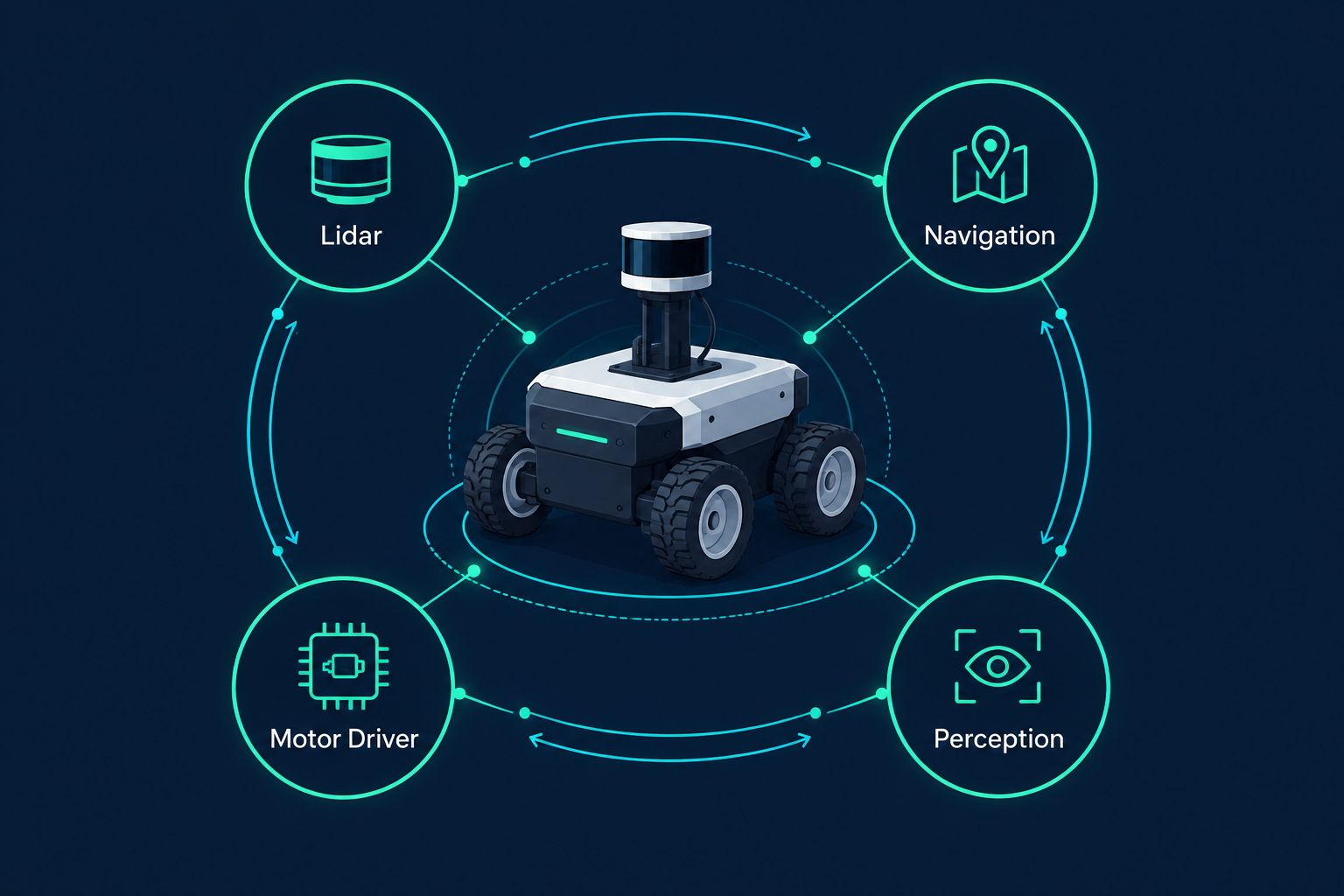
A node is a single process (or part of one) responsible for one job. A typical mobile robot might run a motor driver node, a lidar node, a localization node, a path planner and a behavior node. Keeping them separate means you can test, replace or restart each one individually.
The four ways nodes talk
| Mechanism | Pattern | Typical use |
|---|---|---|
| Topics | Publish/subscribe, many-to-many | Sensor streams, velocity commands, state |
| Services | Request/response | Quick queries: “reset the odometry,” “what is the map?” |
| Actions | Long-running goal with feedback and cancel | “Drive to the loading dock,” “pick up this part” |
| Parameters | Per-node configuration values | Speed limits, frame names, gains |
Message types are defined in simple .msg, .srv and .action files. The build system generates C++ and Python code from them, so a node written in Python can talk to one written in C++ without anyone writing serialization code.
DDS and the RMW layer
This is the biggest change from ROS 1. Instead of a homegrown protocol, ROS 2 runs over DDS (Data Distribution Service), an Object Management Group standard already used in defense, aerospace and industrial systems.
ROS 2 does not lock you into one DDS vendor. A thin abstraction called the ROS middleware interface, or RMW, sits between your code and the transport. You choose an implementation with an environment variable:
rmw_fastrtps_cppuses eProsima Fast DDS, the default in most recent distributions.rmw_cyclonedds_cppuses Eclipse Cyclone DDS, popular with teams who want simpler behavior on large networks.rmw_connextddsuses RTI Connext DDS, a commercial option common in safety-focused industries.rmw_zenoh_cppuses Zenoh, a non-DDS protocol that became a Tier 1 option in Kilted Kaiju (2025) and is gaining fans for Wi-Fi and cloud links.
Your application code does not change when you switch. That alone has rescued plenty of projects whose discovery traffic was choking a congested wireless network.
No master: distributed discovery
ROS 2 has no roscore. Nodes find each other automatically using DDS discovery, by default over multicast on the local network. Robots that share a ROS_DOMAIN_ID see each other. Robots on different domain IDs do not.
On large or restrictive networks, multicast discovery becomes a problem. Fast DDS offers a Discovery Server mode, where a central server brokers discovery to cut traffic, and Zenoh uses a router. Recent distributions also replaced the old ROS_LOCALHOST_ONLY variable with ROS_AUTOMATIC_DISCOVERY_RANGE, which gives finer control over how far discovery reaches.
Quality of Service
QoS settings let each publisher and subscriber declare how data should be delivered. The main policies are:
- Reliability: reliable (retransmit lost messages) or best effort (drop them).
- Durability: volatile, or transient local, where late-joining subscribers receive the last messages sent.
- History and depth: keep the last N messages, or keep all.
- Deadline, lifespan and liveliness: timing contracts that let nodes detect stale data or dead publishers.
A camera stream should usually be best effort, because a late frame is useless. A map should be reliable and transient local, because a navigation node that starts late still needs it. ROS 1 gave you none of this control.
Engineer's note
QoS settings must be compatible or the connection silently never forms. A reliable subscriber will not receive anything from a best-effort publisher. If a topic shows up in the topic list but echo prints nothing, check QoS before you check anything else.
Executors, callback groups and lifecycle nodes
Nodes process incoming messages, timers and service calls through executors. The single-threaded executor runs one callback at a time. The multi-threaded executor runs callbacks in parallel, and callback groups control which callbacks are allowed to overlap. This matters for real-time work and for avoiding deadlocks when a callback calls a service.
Lifecycle (managed) nodes add a standard state machine: unconfigured, inactive, active and finalized. A supervisor can configure every driver, confirm the hardware is present, then activate the whole system in a known order. Nav2 uses this extensively. ROS 1 had no equivalent, so every team invented its own startup sequencing.
Composition
ROS 2 lets you load multiple nodes into a single process as components. Messages between them can pass by pointer instead of being serialized, which cuts latency and CPU load for heavy data like point clouds and images. You get the modularity of separate nodes in development and the efficiency of one process in deployment.
Build system and launch files
Packages are built with colcon, using ament_cmake for C++ packages and ament_python for Python ones. Launch files, which start and configure many nodes at once, can be written in Python, XML or YAML. Python launch files are the most flexible and the hardest to read; XML is often the better choice for simple systems.
Security
SROS2 tooling wraps DDS-Security to give you authentication, encryption and access control per node. It is opt-in and requires managing keys and certificates, so many teams skip it during development. For a robot on a shared or customer network, you should not skip it in production.
ROS 1 vs ROS 2 at a glance
| ROS 1 | ROS 2 | |
|---|---|---|
| Discovery | Central roscore master |
Distributed, no master |
| Transport | TCPROS/UDPROS | DDS (or Zenoh) via RMW |
| Delivery control | None | Configurable QoS per connection |
| Security | None built in | SROS2 / DDS-Security |
| Node lifecycle | Ad hoc | Standard managed lifecycle |
| Multiple nodes per process | Nodelets (limited) | Components with zero-copy options |
| Platforms | Linux (mainly Ubuntu) | Ubuntu, RHEL, Windows; macOS community |
| Microcontrollers | rosserial | micro-ROS |
| Status | End of life May 2025 | Active, LTS to 2029 |
Why more robots are moving to ROS 2
The deadline already passed
The simplest reason is that ROS 1 is finished. Noetic stopped receiving updates in May 2025, and Gazebo Classic, the simulator most ROS 1 projects used, reached end of life in January 2025. Teams that put off migration for years no longer have a supported fallback.
It was built for robots that leave the lab
Distributed discovery removes the single point of failure. QoS makes Wi-Fi links behave predictably. Lifecycle nodes make startup and recovery deterministic. Security exists. These are the things a company needs before shipping a robot into someone else’s building, and ROS 1 could not provide them without heavy custom work.
A 2022 paper in Science Robotics, written by core contributors including Steve Macenski and Brian Gerkey, laid out these design choices and documented ROS 2 use in production across warehouses, agriculture, space and autonomous driving. It is still the best single technical overview of why the architecture looks the way it does.
The flagship libraries moved first
Most developers do not adopt middleware for its own sake. They adopt it to get the libraries on top. The libraries that matter most are now ROS 2 first, and in several cases ROS 2 only:
- Nav2 is the mobile robot navigation stack: localization, path planning, control and behavior trees. It is far more capable than the ROS 1 navigation stack it replaced and is used in commercial products.
- MoveIt 2 handles motion planning for arms, including collision checking and inverse kinematics.
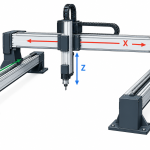
- ros2_control provides a standard hardware abstraction and controller framework. It covers everything from differential-drive bases to six-axis arms to gantries, so if you build “cartesian systems” with stepper or servo axes, it is the cleanest way to expose them to the rest of ROS 2.
- Gazebo (the modern version, formerly called Ignition) is the default simulator, with the
ros_gzbridge connecting it to ROS 2. - micro-ROS brings ROS 2 concepts onto microcontrollers through a lightweight agent, replacing ROS 1’s rosserial.
Vendors now ship ROS 2 drivers
When hardware makers maintain their own ROS 2 drivers, integration time drops from weeks to an afternoon. Some examples of how deep this goes:
- Universal Robots maintains an official ROS 2 driver for its UR arms.
- Unitree builds its newer SDK on Cyclone DDS, so robots like the Go2 quadruped and G1 humanoid speak the same transport as ROS 2. The company publishes a
unitree_ros2package. If you are evaluating a “dog robot” for research, this native compatibility is one of the main reasons Unitree hardware shows up in so many labs. - Clearpath Robotics ships ROS 2 across its research platforms, including the TurtleBot 4, which it co-developed with Open Robotics on top of iRobot’s Create 3 base. The Create 3 itself exposes a ROS 2 interface out of the box.
- Husarion designs its ROSbot line, including the ROSbot XL, around ROS 2 from the start.
- NVIDIA publishes Isaac ROS, a set of GPU-accelerated ROS 2 packages for perception and navigation on Jetson hardware.
- Autoware, the open-source autonomous driving stack, is built on ROS 2.
You will find ROS 2 somewhere in the software of many of the “robotics companies” that dominate industry coverage, even when the marketing never mentions it.
Governance and funding look more stable
The Open Source Robotics Alliance created a membership and funding model for core development, with paying corporate members and technical committees. The project spent years depending on a small core team and goodwill. A formal structure does not guarantee anything, but it makes betting a product on ROS 2 easier to justify to a CTO.
The community moved
By the community’s own annual metrics reports, ROS 2 now accounts for most ROS package downloads. New tutorials, conference talks at ROSCon and university courses all target ROS 2. If you are learning robotics software today, nearly all the fresh material you find assumes ROS 2.
ROS 2 robotics in practice: what a ROS 2 robot looks like
Here is a concrete picture of a ROS 2 robot: a small indoor delivery base with a 2D lidar, a depth camera, wheel encoders and an onboard Linux computer.
| Layer | Typical ROS 2 piece |
|---|---|
| Motor control | ros2_control with a diff-drive controller |
| Microcontroller I/O | micro-ROS on an ESP32 or STM32 |
| Sensors | Vendor drivers publishing sensor_msgs/LaserScan and sensor_msgs/Image |
| Transforms | tf2 tracking where every sensor sits on the robot |
| Robot model | URDF file loaded by robot_state_publisher |
| Mapping | SLAM Toolbox |
| Navigation | Nav2 with behavior trees |
| Simulation | Gazebo via ros_gz |
| Logging | rosbag2 with MCAP files |
| Visualization | RViz2 and Foxglove |
The team building this robot writes very little of that stack. Their own code might be a mission manager, a door-opening integration, and a customer-facing API. That ratio, mostly shared infrastructure with a thin layer of product logic, is why ROS 2 robotics has taken over prototyping, and why so many startups lean on it to reach a working demo fast.
Arms follow a similar pattern with MoveIt 2 and ros2_control in place of Nav2. Autonomous vehicles use Autoware’s packages on top of the same core.
ROS 2 distributions and which one to pick
ROS 2 ships a new distribution every May. Releases in even years are long-term support (LTS) versions with five years of updates. Odd-year releases are supported for about 18 months and serve as a bridge for people who want newer features. Rolling Ridley is a continuously updated development distribution that always tracks the newest code.
| Distribution | Released | Type | End of life | Main Ubuntu target |
|---|---|---|---|---|
| Foxy Fitzroy | June 2020 | LTS | June 2023 | 20.04 |
| Galactic Geochelone | May 2021 | Standard | Late 2022 | 20.04 |
| Humble Hawksbill | May 2022 | LTS | May 2027 | 22.04 |
| Iron Irwini | May 2023 | Standard | Late 2024 | 22.04 |
| Jazzy Jalisco | May 2024 | LTS | May 2029 | 24.04 |
| Kilted Kaiju | May 2025 | Standard | Late 2026 | 24.04 |
| Rolling Ridley | Continuous | Development | None | Latest |
How to choose:
- New project, no constraints: Jazzy. It is the newest LTS, runs on Ubuntu 24.04 and pairs with Gazebo Harmonic.
- Hardware vendor only supports Humble: use Humble. Its support runs through May 2027, and a lot of commercial hardware still ships for it. Plan your move to Jazzy before then.
- You need a specific new feature, such as Tier 1 Zenoh support: Kilted, accepting a shorter support window.
- You contribute to ROS 2 itself: Rolling.
Engineer's note
Each distribution is tied to a specific Ubuntu release for binary packages. Installing Jazzy on Ubuntu 22.04 or Humble on 24.04 means building from source or using containers. Pick the distro first, then the OS, never the other way round.
Hello world: first steps in ROS 2
This section gets you from a clean Ubuntu 24.04 machine to a running node and a live camera feed. It is a quick tour, not a full course; the official tutorials cover each step in more depth.
Prerequisites
- Ubuntu 24.04 (native, in a VM, or in WSL2 on Windows)
- About 5 GB of free disk space for the desktop install
- A USB webcam if you want to try the camera step
- Basic comfort with a terminal
Environment setup
The ROS 2 apt repository setup changed in 2025 to use a small ros2-apt-source package, so copy those first few commands from the “Ubuntu (deb packages)” page of the official Jazzy documentation rather than from an older blog post. Once the repository is configured, the install itself is short:
sudo apt update && sudo apt upgrade
sudo apt install ros-jazzy-desktop ros-dev-tools
ros-jazzy-desktop pulls in the core libraries, demos, RViz2 and rqt. ros-dev-tools adds colcon, rosdep and other build tools.
Every new terminal needs the ROS 2 environment sourced. Add it to your shell startup so you never forget:
echo "source /opt/ros/jazzy/setup.bash" >> ~/.bashrc
source ~/.bashrc
Run the talker and listener
Open two terminals. In the first:
ros2 run demo_nodes_cpp talker
In the second:
ros2 run demo_nodes_py listener
The C++ talker publishes “Hello World” messages, and the Python listener prints them. You did no configuration, started no master and wrote no networking code. If this works, discovery and your RMW layer are healthy.
Create your own package and node
Quick steps: your first ROS 2 package
- Create a workspace with a src folder.
- Generate a Python package with ros2 pkg create.
- Replace the generated node with a publisher.
- Build with colcon and source the overlay.
- Run the node with ros2 run.
mkdir -p ~/ros2_ws/src
cd ~/ros2_ws/src
ros2 pkg create --build-type ament_python
  --dependencies rclpy std_msgs
  --node-name hello_node hello_pkg
Open ~/ros2_ws/src/hello_pkg/hello_pkg/hello_node.py and replace its contents with:
import rclpy
from rclpy.node import Node
from std_msgs.msg import String


class HelloNode(Node):
    def __init__(self):
        super().__init__('hello_node')
        self.publisher = self.create_publisher(String, 'greeting', 10)
        self.timer = self.create_timer(0.5, self.tick)
        self.count = 0 def tick(self):
        msg = String()
        msg.data = f'Hello from ROS 2: {self.count}'
        self.publisher.publish(msg)
        self.get_logger().info(msg.data)
        self.count += 1 def main():
    rclpy.init()
    node = HelloNode()
    rclpy.spin(node)
    node.destroy_node()
    rclpy.shutdown()
Build and run it:
cd ~/ros2_ws
colcon build --symlink-install
source install/setup.bash
ros2 run hello_pkg hello_node
The --symlink-install flag means edits to Python files take effect without rebuilding, which saves real time while you are learning. The 10 in create_publisher is the queue depth, the simplest form of a QoS setting.
Basic tools you will use every day
With your node running, open another terminal and poke at the live system:
ros2 node list                      # every running node
ros2 topic list                     # every active topic
ros2 topic echo /greeting           # print messages as they arrive
ros2 topic hz /greeting             # measure publish rate
ros2 topic info /greeting --verbose # publishers, subscribers, QoS
ros2 param list                     # parameters on each node
ros2 bag record /greeting           # record to a bag file
ros2 doctor                         # check your setup for common problems
Two graphical tools are worth learning early. rqt_graph draws your nodes and topics as a diagram, which is the fastest way to spot a node subscribed to the wrong topic name. RViz2 visualizes 3D data such as lidar scans, maps, robot models and camera feeds.
Starting a camera
A USB webcam makes a good first real sensor. The v4l2_camera package wraps the standard Linux video interface:
sudo apt install ros-jazzy-v4l2-camera ros-jazzy-rqt-image-view
ros2 run v4l2_camera v4l2_camera_node
In a second terminal, view the stream:
ros2 run rqt_image_view rqt_image_view
Pick /image_raw from the dropdown. You now have a sensor node publishing sensor_msgs/Image messages that any other ROS 2 node, from an OpenCV script to a deep learning detector, can subscribe to. On real robots like the ROSbot XL or TurtleBot 4, the camera driver is preinstalled and launched with the rest of the robot, but the topics and tools work exactly the same way.
Troubleshooting
| Symptom | Likely cause | Fix |
|---|---|---|
ros2: command not found |
Environment not sourced | source /opt/ros/jazzy/setup.bash |
Your package isn’t found by ros2 run |
Workspace overlay not sourced | source ~/ros2_ws/install/setup.bash after every build |
| Topic is listed but echo prints nothing | QoS mismatch | Check with ros2 topic info -v; try --qos-reliability best_effort on echo |
| Two machines can’t see each other | Different ROS_DOMAIN_ID, firewall, or blocked multicast |
Match domain IDs, open UDP ports, or use a discovery server |
| Nodes vanish over Wi-Fi | DDS discovery traffic overloading the link | Try Cyclone DDS or Zenoh, reduce discovery range |
| Works natively, not in Docker | Container networking isolates multicast | Run with --network host while debugging |
The limits of ROS 2
ROS 2 is the right default for most robots. It is not magic, and you should go in knowing where it falls short.
It is not real-time out of the box. ROS 2 was designed so that real-time systems can be built with it, which is different from being real-time. You need a real-time kernel such as PREEMPT_RT, careful executor configuration, preallocated memory and disciplined code. Many teams keep their hard real-time control loops in ros2_control or on a microcontroller and let ROS 2 handle everything above that.
It is not safety certified. Standard ROS 2 has no ISO 26262, IEC 61508 or ISO 13849 certification. Commercial companies, notably Apex.AI, sell ROS 2-compatible software that has pursued automotive safety certification, but the open-source distribution itself is not something you can point an auditor at. Safety functions on industrial robots still belong in certified hardware and controllers.
DDS can be painful to tune. Default discovery settings are chatty. On busy Wi-Fi, with dozens of nodes, or across multiple robots, you can drown your network in discovery traffic. Fixing it means learning XML profiles for your DDS vendor or switching middleware. The growing interest in Zenoh is largely a reaction to this.
The learning curve is real. Workspaces, overlays, sourcing, ament, colcon, QoS, launch files, URDF and tf2 all arrive at once. Expect a few weeks before you feel productive, longer if you are also new to Linux and C++.
Documentation churns. APIs and recommended practices change between distributions, so a two-year-old tutorial may use deprecated commands or launch syntax. Always check which distro a guide targets, and note which version your own notes refer to.
Python is convenient, not fast. rclpy carries noticeably more overhead than rclcpp. It is fine for logic and prototyping. For high-rate image or point cloud processing, C++ is the better choice.
Reality check
“Runs ROS 2” on a spec sheet tells you a driver exists, not that it is maintained, well tested, or supports your distribution. Check the driver’s repository activity and supported distros before you buy hardware.
Who should use ROS 2
ROS 2 makes sense for you if you are building a robot with several sensors, any form of navigation or manipulation, or more than one onboard computer. It is especially strong for research labs, university courses, startups racing to a prototype, and companies integrating off-the-shelf arms, bases and sensors.
It is a weaker fit for a single-purpose machine with one motor and one sensor, where a microcontroller and a few hundred lines of firmware will do. It is also a poor fit as the safety layer of anything that can hurt a person. Some large manufacturers also run proprietary stacks for control, certification or historical reasons, and that is a defensible choice at their scale.
For everyone else, the question has quietly changed from “should we use ROS?” to “which ROS 2 distribution, and which middleware?”
FAQ
What is ROS2 used for?
ROS 2 is used to build the software for robots: reading sensors, controlling motors, mapping, navigating, planning arm motions, simulating and logging data. You will find it on mobile robots, robot arms, quadrupeds, humanoids, agricultural machines, autonomous vehicles through Autoware, and research platforms in thousands of university labs. Most teams use it as the backbone that connects drivers and libraries, then add their own application logic on top.
Can I install ROS 2 on Windows 11?
Yes, with caveats. The official Windows binary instructions target Windows 10, and installing on Windows 11 generally works in practice, though setup involves Visual Studio, Python and several dependencies and takes some patience. The smoother route for most people is WSL2 running Ubuntu 24.04, where you follow the normal Linux install and GUI tools like RViz2 work through WSLg. Watch the Windows firewall and WSL2 networking if nodes cannot discover each other across machines.
Does ROS2 use C++ or Python?
Both. The two officially supported client libraries are rclcpp for C++ and rclpy for Python, both built on a shared C library called rcl. Nodes written in either language talk to each other seamlessly. Community libraries also exist for Rust, Java and JavaScript (through rclnodejs), though they get less testing. A common pattern is Python for high-level logic and quick tools, and C++ for drivers and performance-critical processing.
What is ROS 1 and ROS 2?
ROS 1 is the original Robot Operating System, released in 2010 and built around a central master process and custom transport protocols. ROS 2 is a ground-up redesign released from 2017 onward that uses DDS or Zenoh for communication, removes the master, and adds Quality of Service, security, lifecycle management and better support for real-time and embedded systems. ROS 1 reached end of life with Noetic in May 2025, so new projects should use ROS 2.
Is ROS 2 free for commercial use?
Yes. The core ROS 2 packages are released mostly under the Apache 2.0 license, which allows commercial use, modification and closed-source products. Individual packages in the wider ecosystem can use other licenses, including BSD, LGPL and occasionally GPL, so check the license of each package you ship.
How long does it take to learn ROS 2?
If you already know Linux and either Python or C++, expect a few weeks to get comfortable with nodes, topics, launch files and the build system, and a few months before you are confident with navigation or manipulation stacks. Working through the official tutorials in order, then building a small simulated robot in Gazebo, is the most reliable learning path.
Keep reading
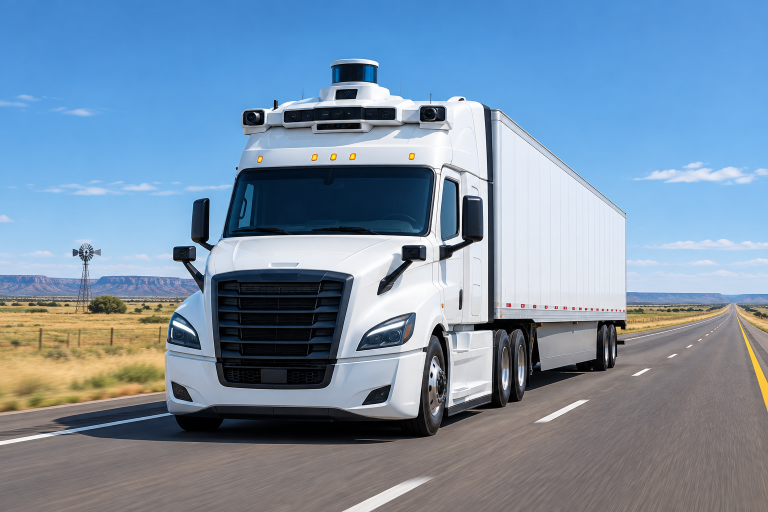 Autonomy & PerceptionAurora and Its Self Driving Trucks Explained SimplyAurora Innovation is a Pittsburgh-based self-driving technology company that builds the Aurora Driver, a hardware and software system…Oct 21, 2026 · 6 min read
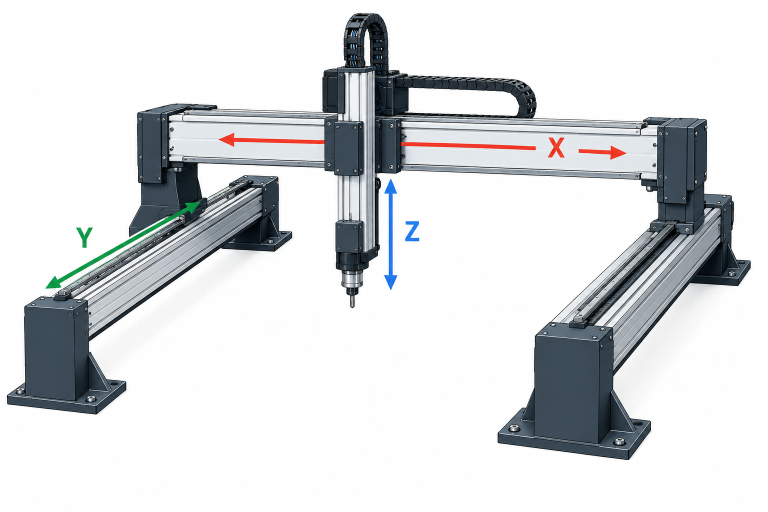 Industrial & Service RobotsCartesian robots and XYZ gantry systems explainedCartesian systems are robots that move a tool along three straight, perpendicular axes (X, Y and Z), so…Oct 21, 2026 · 4 min read
 Robotics CompaniesTop robotics companies leading the industry todayMost lists of robotics companies mix shipping industrial giants with startups that have only posted a video. We…Oct 21, 2026 · 20 min read