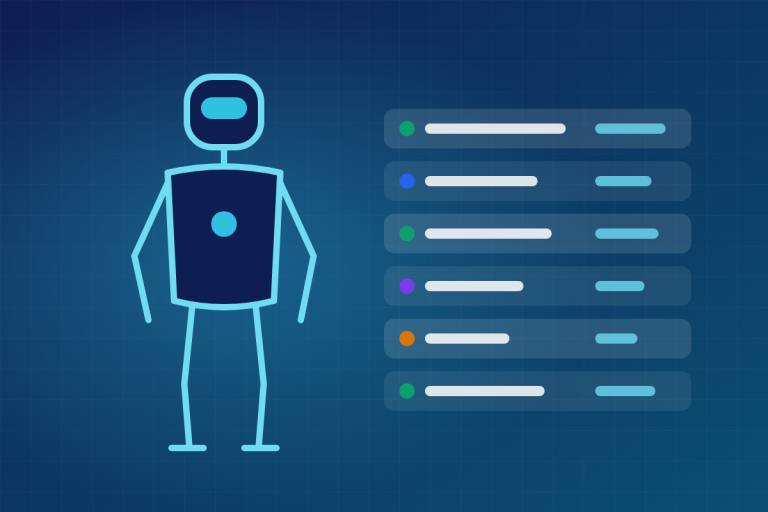
A digital twin is a virtual model of a real robot, machine, cell or factory that stays synchronized with its physical counterpart through live data. The twin receives sensor and state data from the real thing, runs physics or behavior models on it, and sends insight, and sometimes commands, back. For robotics teams, it is where you design, train, test and monitor robots before and while they work in the real world.
Digital twin definition: what the term actually means
The cleanest digital twin definition comes from the Digital Twin Consortium, an industry group founded in 2020 under the Object Management Group. It describes a digital twin as a virtual representation of real-world entities and processes, synchronized at a specified frequency and fidelity.
Two words in that sentence do most of the work.
Synchronized means data flows from the physical object into the model on an ongoing basis. A CAD file of your robot arm is not a twin. That same model, updated every few milliseconds with joint positions, motor currents and temperatures from the real arm, starts to qualify.
Fidelity means you choose how detailed the model needs to be. A warehouse twin used to plan traffic between 300 mobile robots can treat each robot as a moving box. A twin used to train a grasping policy needs contact physics, friction and camera noise that look a lot like reality.
The idea predates the name. Michael Grieves presented the concept at the University of Michigan in 2002 as a model for product lifecycle management. NASA’s John Vickers attached the label “digital twin” around 2010 in the agency’s technology roadmap work. People often point to Apollo 13 as an early precursor, since ground crews used simulators to work through the crisis, but those simulators were not continuously fed by live spacecraft data the way a modern twin is.
Digital twin vs. digital shadow vs. digital model vs. simulation
These terms get used interchangeably in marketing copy. They should not be. The most useful split comes from a 2018 paper by Kritzinger and colleagues, which classifies them by the direction of data flow between the physical and digital objects.
| Term | Data from physical to digital | Data from digital to physical | Robotics example |
|---|---|---|---|
| Digital model | Manual only | Manual only | A URDF or CAD model of a robot arm |
| Digital shadow | Automatic | Manual only | A dashboard mirroring live joint states of a running arm |
| Digital twin | Automatic | Automatic | A model that tracks the arm and adjusts its path or schedule in response |
| Simulation | Usually none | None | Testing a navigation stack in a Gazebo world that has no real counterpart |
A simulation is a tool. A digital twin is a relationship between a model and a specific physical thing. You can run simulations inside a twin, and most robotics twins are built on top of simulators, but a simulator running a generic warehouse world is not twinning anything.
Engineer's note
When a vendor says “digital twin,” ask which way the data flows and how often. Most systems sold under the label are digital shadows: live dashboards with no automatic path back to the machine. That is fine and often enough, but it is a different product.
How a digital twin works
Strip away the branding and every working twin has the same five layers.
1. The physical asset
This is the robot, cell or line you care about. It needs instrumentation: encoders, force-torque sensors, cameras, lidar, motor drives that report current and temperature, and a controller that exposes its state.
2. The data pipeline
State has to get from the machine to the model with known latency. In robotics, that often means ROS 2 topics carried over DDS. On factory floors it is more often OPC UA from PLCs, MQTT for lighter telemetry, or a vendor’s own controller interface. Timestamps matter more than people expect. If camera frames and joint states are not time-aligned, your twin will disagree with reality for reasons that have nothing to do with physics.
3. The model
This is where most of the engineering effort goes. A robotics twin usually combines:
- Geometry and kinematics, described in URDF, SDF, MJCF (MuJoCo’s format) or OpenUSD
- Dynamics: masses, inertias, joint friction, actuator limits
- Contact physics from an engine such as PhysX, MuJoCo, DART or Bullet
- Sensor models that add realistic noise, distortion and dropouts
- Behavior: the actual robot software, controllers and task logic
4. Synchronization and calibration
The model drifts from reality as gearboxes wear, payloads change and someone moves a fixture by 4 cm. Good twins use incoming data to keep updating parameters, a process called system identification or model calibration. A twin that was accurate on commissioning day and never recalibrated is slowly turning back into a static model.
5. Services on top
The twin earns its keep through what you do with it: what-if analysis, predictive maintenance, path optimization, regression testing of new software, training data, operator training. If no decision ever changes because of the twin, you built an expensive 3D viewer.
Types of digital twins
There are two common ways to group twins. The first is by scope, popularized by IBM and widely repeated. The second comes from Grieves and groups them by lifecycle stage.
| Type | Scope | Robotics example | Typical question it answers |
|---|---|---|---|
| Component twin | A single part | One harmonic drive or servo motor | When will this gearbox need replacing? |
| Asset twin | A whole machine | A six-axis arm or a quadruped | Can this robot reach and lift this part safely? |
| System twin | Several assets working together | A welding cell with two arms, a positioner and safety fencing | Will cycle time hit target without collisions? |
| Process twin | An entire operation | A warehouse with a fleet of AMRs, conveyors and pickers | What happens to throughput if we add 40 robots? |
Grieves’ lifecycle view splits twins into the digital twin prototype, which exists before anything is built, the digital twin instance, which is tied to one specific serial-numbered machine, and the digital twin aggregate, which pools data from many instances. Fleet operators care most about the aggregate. Data from 500 deployed robots tells you far more about failure patterns than data from one.
How robotics teams use digital twins
This is where the topic gets concrete. If you work in robot software, you are probably already using some piece of this stack even if nobody calls it a twin.
Training policies in simulation before touching hardware
Reinforcement learning needs millions of trials. Real robots break, wear out and need humans to reset them. Simulation does not. ETH Zurich and NVIDIA researchers showed this clearly in their 2021 paper “Learning to Walk in Minutes Using Massively Parallel Deep Reinforcement Learning,” where thousands of simulated ANYmal quadrupeds trained in parallel on a single GPU. Much of the progress you see in any modern dog robot traces back to this style of training.
The catch is the sim-to-real gap. Policies exploit quirks in simulated physics that do not exist in reality. The standard fix is domain randomization, introduced in a 2017 paper by Tobin and colleagues at OpenAI. You randomize friction, masses, lighting, latency and textures so the policy learns to cope with variation instead of memorizing one fake world. OpenAI’s 2019 Rubik’s Cube demo with a Shadow Dexterous Hand leaned heavily on this approach.
Strictly speaking, a training environment is a simulation rather than a twin, because it is not synced to one physical robot. It becomes twin-like when you calibrate it from real robot data and feed real-world failures back into it, which is exactly what serious teams do.
Generating synthetic training data for perception
Labeling real images is slow and expensive. A rendered scene comes with perfect labels for free: bounding boxes, segmentation masks, depth and pose. NVIDIA’s Omniverse Replicator, which runs inside Isaac Sim, exists for this. Teams use it to generate images of parts in bins, pallets in aisles or people in a factory under lighting conditions they would struggle to capture on site.
Designing work cells and programming robots offline
Industrial integrators have done this for decades under the name offline programming. ABB RobotStudio, FANUC ROBOGUIDE and KUKA.Sim let you lay out a cell, check reach and collisions, estimate cycle time and generate robot programs without stopping production. Pair one of those cell models with live controller data and you have a system twin.
At factory scale, the same idea is bigger and pricier. BMW used NVIDIA Omniverse to plan its Debrecen, Hungary plant virtually before building it, and Foxconn has publicly shown Omniverse-based twins of its factory lines. Treat those as planning and visualization twins. The public material shows layout, logistics and robot placement, not robots being controlled live from the model.
Testing ROS 2 software in the loop
For ROS 2 teams, the most practical everyday twin is software-in-the-loop testing. You run your real navigation, manipulation and control nodes against a simulated robot that publishes the same topics the hardware does. If your controllers cannot tell the difference, your CI pipeline can catch regressions before they reach a physical robot.
Gazebo connects to ROS 2 through the ros_gz packages. The ros_gz_bridge node maps Gazebo transport topics to ROS 2 topics:
sudo apt install ros-jazzy-ros-gz

# Launch an example world
gz sim shapes.sdf

# In another terminal: bridge the sim clock (Gazebo -> ROS)
# and velocity commands (ROS -> Gazebo)
ros2 run ros_gz_bridge parameter_bridge \\
  /clock@rosgraph_msgs/msg/Clock[gz.msgs.Clock \\
  /cmd_vel@geometry_msgs/msg/Twist]gz.msgs.Twist
In the bridge syntax, [ means Gazebo to ROS, ] means ROS to Gazebo and @ alone means both directions.
Engineer's note
With ros2_control, the same controller config can drive simulation or hardware. You swap the hardware interface plugin in your URDF, using gz_ros2_control for Gazebo or mock_components/GenericSystem for a bare mock, and leave the controllers alone. That swap is what makes sim results worth trusting.
Running fleets and warehouses
Process twins model a whole operation. Before adding robots to a fulfillment center, operators simulate traffic, charging schedules, congestion at choke points and the effect of a new layout. NVIDIA packages this idea as its “Mega” Omniverse blueprint for testing robot fleets in a factory twin. The value here comes from answering capacity and layout questions cheaply, long before anyone buys hardware.
Monitoring and predictive maintenance in live operation
Once robots are deployed, an asset or component twin compares expected behavior with measured behavior. If a joint draws more current than the model predicts for the same motion and payload, something is wearing or binding. This is the oldest industrial use of twins, borrowed from jet engines and turbines, and it is the one most likely to pay for itself.
Simulators robotics teams build twins on
Most robotics twins sit on top of one of these platforms. All of the ones below are free to use. The commercial cost shows up in enterprise deployment, cloud compute, integration work and vendor support.
| Platform | Maintainer | License | Physics engine | ROS 2 integration | Typical use |
|---|---|---|---|---|---|
| Isaac Sim | NVIDIA | Open source on GitHub (from 5.0) | PhysX | Built-in ROS 2 bridge | Photoreal sensors, synthetic data, factory twins |
| Isaac Lab | NVIDIA | BSD-3-Clause | PhysX (via Isaac Sim) | Indirect | Massively parallel robot learning |
| Gazebo (Harmonic, Jetty) | Open Robotics | Apache 2.0 | DART by default | ros_gz packages | ROS 2 software-in-the-loop testing |
| MuJoCo | Google DeepMind | Apache 2.0 | MuJoCo | Community packages | Contact-rich control and RL research |
| Webots | Cyberbotics | Apache 2.0 | ODE fork | webots_ros2 | Education, mobile robots |
A few dates worth knowing. DeepMind acquired MuJoCo in October 2021 and open-sourced it in 2022. Gazebo Classic reached end of life in January 2025, so new projects should use the current Gazebo releases. In March 2025, NVIDIA, Google DeepMind and Disney Research announced Newton, an open-source GPU physics engine built on NVIDIA Warp and designed to be compatible with tools like Isaac Lab and MuJoCo.
If you are building on ROS 2, pick your simulator version to match your distribution. Mismatched pairings work on paper and then cost you a week of dependency debugging.
| ROS 2 distribution | Released | End of life | Recommended Gazebo |
|---|---|---|---|
| Humble Hawksbill (LTS) | May 2022 | May 2027 | Fortress |
| Jazzy Jalisco (LTS) | May 2024 | May 2029 | Harmonic |
| Kilted Kaiju | May 2025 | November 2026 | Ionic |
Benefits of digital twin technology for robotics
The benefits are real when the twin is aimed at a specific decision.
- Fewer broken robots. You find collisions, joint limit violations and bad gains in software, where a crash costs nothing.
- Faster iteration. You can run a regression suite on every commit overnight instead of booking time on a shared robot.
- Training at scale. Thousands of parallel simulated robots collect experience in hours that would take years on hardware.
- Cheaper planning. Moving a conveyor in a model costs an afternoon. Moving it on the floor costs a shutdown.
- Better maintenance timing. Comparing predicted and measured performance flags wear before it causes downtime.
- Safer operator training. New staff can practice recovery procedures on a twin of the cell they will actually run.
Challenges and disadvantages of digital twins
The limits are just as real, and the marketing rarely mentions them.
The reality gap never fully closes. Contact, friction, cable dynamics, deformable objects and sensor noise are hard to model. A grasp that works 99 percent of the time in simulation can fail far more often on real parts. Every sim-trained policy needs real-world validation.
Fidelity is expensive. Accurate twins need accurate inputs: measured inertias, identified friction, calibrated cameras, correct CAD. Many teams discover their CAD does not match what was actually built.
Twins drift. Without ongoing calibration, the model and the machine diverge as hardware wears and layouts change. Someone has to own that upkeep, and it is rarely in the original budget.
Integration is the hard part. Getting clean, time-stamped data out of a mix of robot controllers, PLCs and vision systems is usually harder than building the 3D model.
Security exposure grows. A twin that can push commands back to a physical machine connects your IT network to operational technology. That bidirectional link is precisely what attackers want. Treat the twin as part of your control system security boundary, not as a dashboard.
Compute and licensing costs add up. Photoreal rendering and large parallel simulations need serious GPUs, on site or in the cloud.
Reality check
“Enterprise metaverse” pitches often sell factory-scale twins as solved. Public demos mostly show planning and visualization. Live closed-loop control of whole factories from a twin is still rare and lightly documented.
How to start building a digital twin for your robot
If you want a first twin that is useful rather than decorative, keep it narrow.
Quick steps: your first robotics twin
- Pick one decision the twin must improve.
- Get an accurate URDF or MJCF of the robot.
- Choose a simulator matched to your ROS 2 version.
- Run your real software stack against the simulated robot.
- Stream real joint and sensor data in and compare.
- Calibrate parameters until sim and reality agree.
- Only then add live feedback to the machine.
Step 5 is where most of the learning happens. Plot simulated and measured joint torques for the same trajectory. The gap between those two curves tells you exactly how much to trust everything else the twin says.
FAQ
What is a digital twin of a person?
A digital twin of a person is a model built from an individual’s data, most often in healthcare. Researchers and medical device companies build patient-specific heart, lung or bone models from imaging and sensor data to plan surgery or test treatments virtually. The term is also used loosely for AI avatars that mimic someone’s voice or behavior, though those rarely meet the synchronization standard a true twin requires.
What are the four types of digital twins?
The most common grouping is component twins, asset twins, system twins and process twins. They scale from a single part, such as a motor, up to a whole operation, such as a warehouse full of mobile robots. Grieves’ lifecycle-based grouping uses three types instead: prototype, instance and aggregate.
What are the disadvantages of digital twins?
The main disadvantages are cost, data integration effort, model drift and security risk. Accurate models need accurate inputs and ongoing calibration. For robotics specifically, the sim-to-real gap means anything learned or tested in the twin still needs validation on real hardware.
Are digital twins AI?
No. A digital twin is a synchronized model, which can be pure physics and geometry with no machine learning at all. AI often runs on top of a twin or inside it, for example policies trained in simulation, anomaly detection on telemetry or learned models that fill in physics that is hard to write by hand. The twin supplies the data and the environment; AI is one of the things you can do with it.
Is a robot simulator the same as a digital twin?
Not by itself. A simulator becomes part of a digital twin when it is tied to a specific physical robot or cell and kept in sync with live data from it. Running a generic warehouse world in Gazebo is simulation. Running a calibrated model of your actual warehouse, fed by your actual robots, is a twin.
Keep reading
 ROS & Robot SoftwareWhat ROS 2 is and why more robots are moving to itROS 2 is a free, open-source framework for building robot software. It provides the messaging layer, tools and…Oct 21, 2026 · 20 min read
 Autonomy & PerceptionMicro Air Vehicles Explained With Real ExamplesA micro air vehicle (MAV) is a very small uncrewed aircraft, classically defined by DARPA as no larger…Oct 28, 2026 · 6 min read
 Robotics NewsMachenta’s $40M seed is confirmed, but one-demo robot learning is unproven outside the labImperial says Machenta raised a $40M seed led by Creandum and USV. One-demo learning from simulation is the…Oct 27, 2026 · 4 min read